When your downloads folder becomes a graveyard, you know the problem has gone beyond inconvenience.
Most people who work online accumulate files the same way they accumulate junk in the garage. Slowly, quietly, and then all at once. One day you go looking for a PDF you saved three months ago and you are staring at 4,000 unnamed files with no idea where anything is.
This is not a discipline problem. It is a volume problem. And if you have been building an online business for any length of time, the volume only goes one direction.
I built a tool to deal with exactly this. I call it the Media Archiver, and it has become one of the most genuinely useful things I have put together for my own business workflow. Not because it is flashy, but because it solves a real, grinding problem that eats time every single week.
Here is what the problem actually looks like in practice.
You download a zip file, extract what you need, and leave the rest. You save a research document with a vague name you were sure you would remember. You screenshot something useful and it lands in a downloads folder already holding six hundred other screenshots. Over months and years, this compounds. Your hard drive fills up. Your computer slows down. And every time you need to find something, you lose twenty minutes hunting for it.
A proper media file organisation tool solves this at the root, not by demanding you be more disciplined, but by giving you a fast, structured way to go through everything and make decisions.
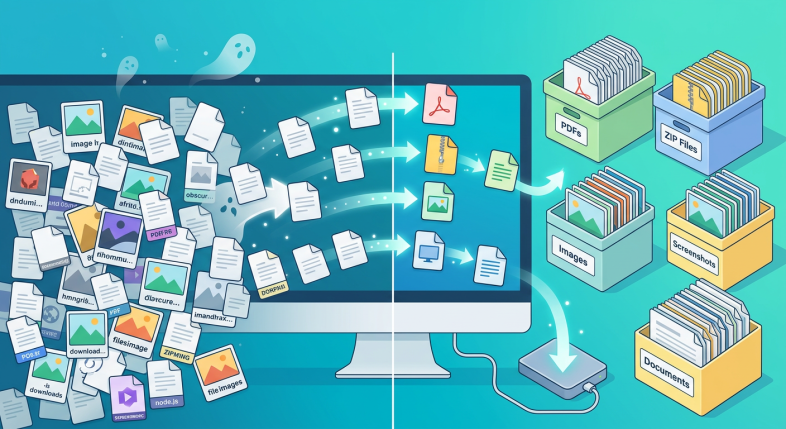
What the Media Archiver actually does is straightforward. It finds everything on your drive, presents it in a sortable way, and lets you choose what to keep locally, what to move to an external drive, and what to delete. You can work through your zip files one by one, your documents folder, your downloads, all of it. Because the tool does the finding and sorting for you, the decisions become quick instead of exhausting.
The thing most people do not realise about media file organisation is that the goal is not a perfectly tidy computer. The goal is a computer that does not slow you down. When you can find what you need in thirty seconds instead of thirty minutes, that time compounds across a week, a month, a year. It is the same principle behind any small system that saves you five minutes a day.
I have been using this tool on my own setup and it has cleared space I did not know I was wasting. Files I genuinely needed got moved to an external drive where they are safe and accessible. Files I was keeping out of vague guilt got deleted. The whole thing took far less time than I expected because the tool did the heavy lifting.
If you are building an online business, especially if you have been at it for a few years, the odds are your file situation is costing you more than you think. Not in drama, just in quiet friction. The kind of friction that makes you slightly less likely to sit down and do the work because the environment feels cluttered and slow.
A good media file organisation tool removes that friction. And when you remove friction from the path to doing the work, you do more work. Simple as that.
If you want to learn more about the tools and strategies I use to keep my online business running cleanly, come and have a look at what I share: