
When you send a broken link to your email list, the honest thing to do is own it. Not dress it up, not pretend it was a clever re-engagement tactic. Just say what happened, fix it, and move on.
That is what this post is about. A real email link apology, why so many of them are fake, and what the difference looks like when someone is actually telling the truth.
Last week I sent out two emails with a link to a Google doc I had been putting together. The doc contained some useful material I wanted to share with my readers. The problem was that I had set the document permissions incorrectly. I had left the sharing setting on restricted, which meant anyone who clicked the link got a wall instead of a page. They could not access it at all.
The URL itself was always correct. I did not mistype anything. The mistake was on the permissions side, not the link side. When you create a Google doc and want to share it publicly, you have to go into the sharing settings and switch it from restricted to anyone with the link. I had simply forgotten to do that step.
So I sent a follow-up email with the subject line: I detest emails like this.
Here is what I mean by that.
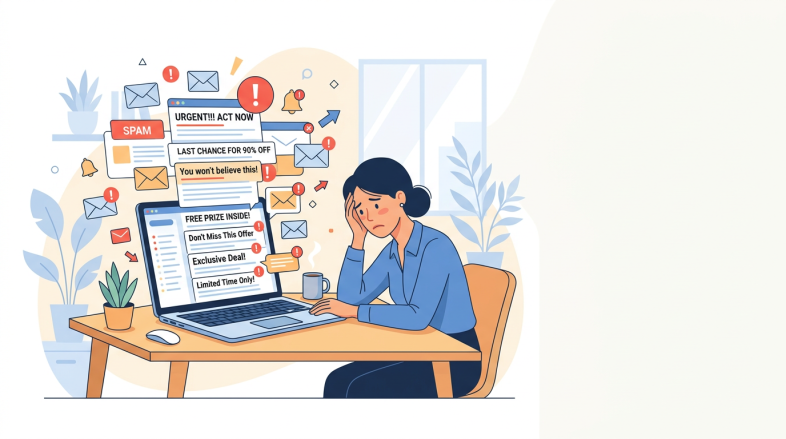
You have almost certainly seen the pattern. An email arrives in your inbox with a subject line along the lines of sorry, I fixed the link or oops, here is the correct link. You click through expecting to find some explanation of what went wrong. But instead, the link works perfectly. It worked the first time too. Nothing was ever broken.
This is a known email marketing tactic. The idea is that an apology subject line gets a higher open rate than a standard promotional subject line. Marketers who use this approach are banking on the fact that people feel sympathetic when someone admits a mistake. So they manufacture the mistake, or at least the appearance of one, to harvest extra clicks.
The giveaway is always the link itself. If the link worked when you first clicked it in the original email, and it still works when you click it in the apology email, nothing was fixed. There was nothing to fix.
I find this approach dishonest. Not catastrophically so, but dishonest enough that it puts a small dent in the trust between a sender and their list. Because your readers are not silly. Many of them have seen this trick before. When they click the original link and it works fine, then receive an apology email moments later, they notice the disconnect.
In my case, the failure was real. If you clicked the link in either of my first two emails, you hit a permission wall. The doc was inaccessible. That is not a manufactured situation. That is just me making an administrative error inside Google Drive, which takes about four seconds to make and about the same amount of time to fix once you realise what you have done.
So my apology was genuine. And that distinction matters, because genuine apologies land differently than manufactured ones.
When you send a real email link apology, a few things are worth keeping in mind.
First, be specific about what actually broke. In my case, it was not the URL. It was the document permissions. Saying something was broken without explaining what it was does not give your reader any confidence that you understand the problem or have actually resolved it. Specificity is what makes an apology credible.
Second, take full responsibility without over-explaining. There is a difference between being accountable and spending three paragraphs justifying why the mistake happened. Own it in one or two sentences and get on with the fix. Readers respect brevity when it comes with honesty attached.
Third, make the corrected link impossible to miss. Put it high in the email, not buried at the bottom. If someone is already sceptical about whether the apology is genuine, they should not have to scroll to find the thing they came for.
And fourth, do not repeat the pattern. If readers receive apology emails from you regularly, the first one buys you goodwill and the second one buys you suspicion. Sending a genuine apology is only meaningful if it is genuinely rare.
The link I had been trying to share is now live and accessible. You can find it here:
If you tried to open it earlier and got nowhere, that was on me. It should work correctly now because the permissions have been updated. If for any reason it still gives you trouble, reply and let me know.
The broader point is this. Trust is the only real asset you have with an email list. Every email you send either adds to that trust or draws it down a little. Manufactured mistakes draw it down even when they appear to work in the short term, because some portion of your readers will figure out what happened and file it away.
A real mistake, handled honestly and with a clear explanation, can actually do the opposite. It reminds your readers that there is a real person on the other end of these emails. Someone who makes the occasional error with Google Drive settings and is not too proud to say so plainly.