
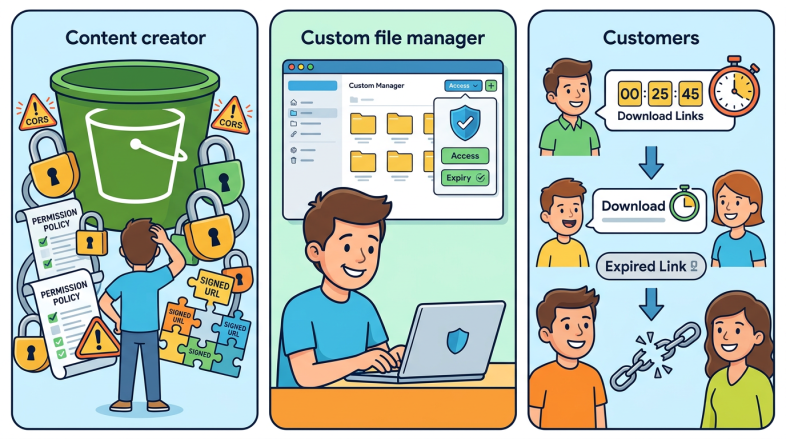
When you start storing files on Amazon S3, the first thing most people run into is the permissions system. It is powerful. It is also genuinely confusing, and that confusion costs people real time and real money.
I have been using S3 for years. The storage itself is rock solid and the cost is almost laughably low. But the permissions side of things is where almost everyone gets stuck, and I want to talk honestly about why that is, and what I did about it.
Amazon S3 permissions management exists for a very good reason. When you are selling digital products or distributing files to paying customers, the last thing you want is someone passing your download link around for free. S3’s permission system is what prevents that. If a file is locked down correctly, only the person with the right link, at the right time, can access it. That protection is genuinely valuable.
But here is the other side of that. Because the permissions are doing real protective work, they are not simple to configure. Toggling access on and off, setting up signed URLs, managing bucket policies, dealing with CORS settings, it adds up quickly. If you have never worked in AWS before, the interface alone can feel like you have wandered into a foreign country without a phrase book.
I kept looking for a simpler way to interact with my S3 buckets. I wanted an interface that handled the permissions logic without me having to think through every setting manually each time. I tried a few third-party tools. All of them had something I did not like, either they were too expensive, or they required permissions I was not comfortable granting, or they simply did not do what I needed.
So I built my own S3 file manager.
Once I had that working, I took it a step further and built in deadline protection. This means I can create a download link that expires at a specific date and time. When the deadline passes, the link stops working. That is useful if you are running a promotion, a time-sensitive offer, or anything where access should not be permanent.
The other feature I built in is click-based expiry. Instead of the link expiring at a fixed date, it can expire a set period after the user first clicks it. If you are using S3 to deliver a lead magnet, this is actually the more practical option. Someone subscribes, they get a link, and they have 48 hours or 7 days or whatever you choose to download the file. After that, the link is dead.
Both approaches solve the same underlying problem with Amazon S3 permissions management: giving you real control over who can access your files and for how long, without having to dig through AWS policy documents every time you want to make a change.
I have written up the full instructions for building this yourself in a PDF. It covers how I built the file manager, how the deadline protection works, and how to set up both types of expiring links. If you want to grab it, the link is below. It is a temporary link and it will expire, so do not sit on it.
Get the PDF instructions for building your own S3 file manager with deadline protection:
https://zjmdlhezqewd3tz26d727eauyi0fwqvw.lambda-url.us-east-1.on.aws/