
When AI writes your code, who is checking the locks?
Most people who get into vibe coding do it because it feels like a shortcut. You type a prompt, an AI writes the code, and something appears that actually works. It is genuinely remarkable, and I am not here to tell you to stop.
But there is a problem growing quietly in the background, and it is one that non-programmers almost never spot. Because spotting it requires knowing what to look for in the first place.
AI code generation security is not a topic that comes up much in the communities where vibe coding is celebrated. People are too busy being amazed that the thing runs at all. And that excitement is understandable. But excitement has a habit of making people skip steps.
So let me explain what I have been watching, and why it concerns me.
The difference between low-risk and high-risk AI code generation
Not all AI-generated code carries the same level of risk. Using AI to build a simple website is generally fine, provided there are no forms on the page that collect user input. Using AI to generate images, music, or video is not really a security issue at all, though copyright questions are still being sorted out in the courts.
But when you use AI to write functional software, particularly anything that interacts with a browser, a server, or a user’s system, the picture changes. The AI does not automatically think about security. It thinks about making your code work. Those two things are not the same.
If you do not specifically ask the AI what security vulnerabilities exist in the code it just wrote, it will not volunteer that information. And most people do not think to ask.
This is the core issue with AI code generation security. The output can look polished and professional while containing gaps that an experienced developer would never leave open.
The browser extension problem
Here is where I want to focus, because this is the trend I am seeing accelerate right now.
Vibe coders are building browser extensions. That sounds harmless enough. But when a browser extension is not published through an official app store, there is no way to install it without switching the browser into developer mode. And once you switch into developer mode, you have to stay there for the extension to keep working.
Developer mode was designed for people actively building and testing software. It was never intended to be a permanent setting for everyday browsing. Leaving a browser in developer mode means any extension, including ones you never asked for, can be loaded. The front door is open, and it stays open.
I have actually built a browser extension myself and submitted it through the proper app store process. It required more effort than just handing a prompt to an AI and running the output directly. But the extension now installs cleanly, runs without any security compromise, and sits in my browser without requiring developer mode. That is how it should work.
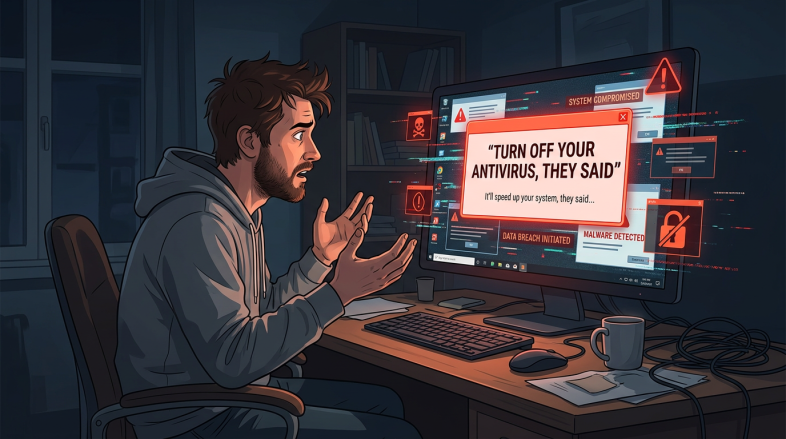
This is not a hypothetical risk. It is the same category of problem as the old advice that used to circulate in certain corners of the internet: turn off your antivirus software to install this program. I never followed that advice. If a program could not install with the antivirus running, I did not need that program. The same logic applies here. If a browser extension requires you to stay in developer mode permanently, you do not need that extension.
Why AI does not automatically fix this
One of the common assumptions people make about AI code generation is that because the AI is sophisticated, the output must be safe. This is not how it works.
AI models generate code based on patterns in their training data. They are optimised to produce code that runs and satisfies the prompt. Security review is a separate discipline, and it does not happen automatically. Experienced developers know to ask. Vibe coders, by definition, often do not have that background.
Since the AI will not raise security concerns unless asked, and most vibe coders do not know what questions to ask, the gap between functional code and secure code can be significant.
The questions worth asking your AI before you ship anything
If you are using AI to generate code, there is a simple habit worth building. Before you consider anything finished, ask the AI directly: what security vulnerabilities does this code have? Ask it what an attacker could do with this code. Ask it whether there are any permissions being requested that are broader than necessary.
You do not need to be a programmer to ask those questions. You just need to know they are worth asking.
For browser extensions specifically, the question to ask is whether the extension can be packaged and submitted to an official app store rather than distributed as a raw file. If the answer is no, or if the AI cannot explain how to do that, treat the extension as experimental and not something to run in your everyday browser.
AI code generation security is going to become a bigger conversation as more people build more things without a programming background. The tools are genuinely useful, and I am not suggesting you avoid them. But useful and safe are two different measures, and both matter.
If you want to see how I handled this with my own browser extension, built properly and sitting in the app store with 469 installs, have a look here: